



Blog
Workstations Shape More of the Working Day Than Most Office Furniture

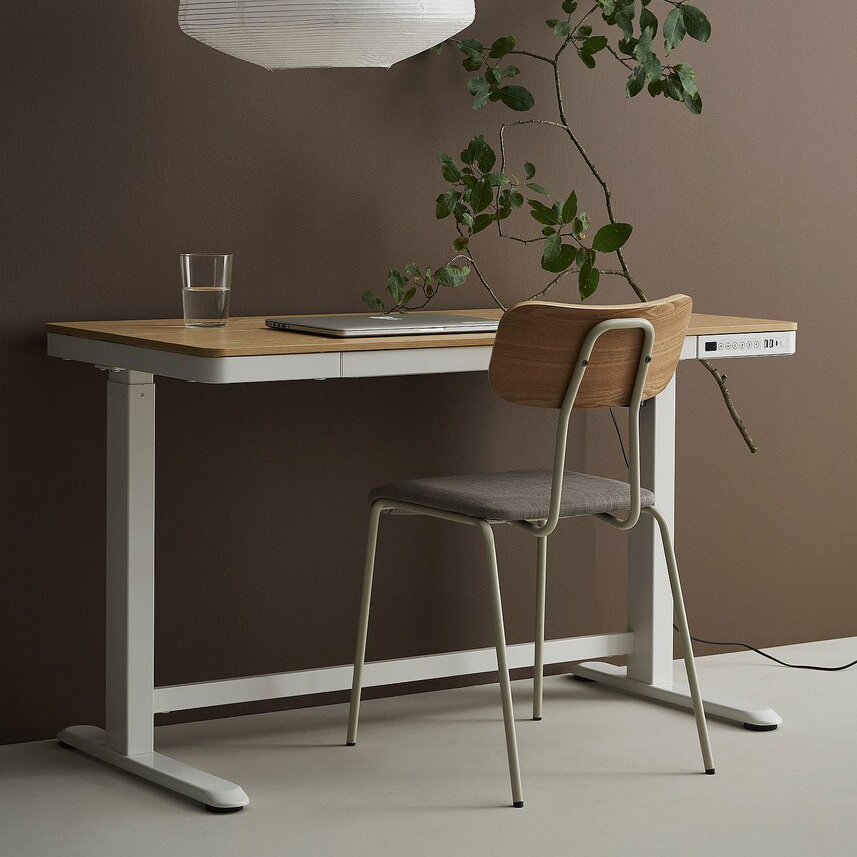
Designing Workstations for the Way People Work
A workstation is where many employees spend a large portion of their working day.
Yet when offices are planned, workstation decisions can sometimes be reduced to a simple calculation: how many desks can fit into the available floor area?
That approach overlooks an important point.
Good workstations need to accommodate people, equipment, movement, storage and the way teams actually perform their work.
The number of desks matters, but the quality of the space around them matters too.
Table of Contents
- Workstation Size Should Reflect the Job
- More Desks Can Sometimes Mean Less Usable Space
- Fixed Workstations Work Well When Needs Are Predictable
- An Adjustable Workstation Offers More Flexibility
- Sit-Stand Does Not Mean Standing All Day
- Screens and Accessories Affect Desk Usability
- Storage Does Not Always Belong Under Every Desk
- Team Layout Matters as Much as Individual Desks
- The Best Workstation Is Easy to Work At
- Frequently Asked Questions
Workstation Size Should Reflect the Job
Not every employee needs the same amount of desk space.
A role involving a laptop and headset has different requirements from one involving multiple monitors, documents, specialist equipment or regular face-to-face discussions.
Using one workstation size across the entire office may simplify purchasing but does not always produce the most useful layout.
Instead, consider what different teams actually keep on their desks.
This can reveal where larger surfaces are useful and where compact workstations can free up valuable floor space.
More Desks Can Sometimes Mean Less Usable Space
Adding one more workstation may look efficient on a floor plan.
In practice, it can narrow walkways, reduce chair movement or make storage awkward to access.
Density should therefore be balanced against usability.
A workplace needs enough room for employees to enter and leave their work areas comfortably and for commonly used equipment to remain accessible.
This is particularly important when desks are arranged in clusters or pods.
The best layout is rarely the one that achieves the absolute maximum desk count.
Fixed Workstations Work Well When Needs Are Predictable
Fixed desks remain useful in offices where employees have established work areas and relatively consistent equipment.
They are straightforward, can create a clean layout and are available in many configurations.
For organisations with permanent seating arrangements, this simplicity can be a benefit.
Abbotts offers a range of fixed desks and workstations for different workplace layouts.
The important consideration is matching the workstation to the user rather than assuming a fixed setup requires no adjustment elsewhere.
Chair height, monitor position and accessories can all influence how the overall workstation functions.
An Adjustable Workstation Offers More Flexibility
An adjustable workstation can be particularly useful when a desk is shared by different employees or when a worker wants greater variation in their working position.
Height-adjustable desks allow the work surface to move rather than requiring the person to adapt to one fixed height.
This can also make shared workstations easier to accommodate across different users.
However, adjustability alone does not automatically create an effective workstation.
The monitor, chair and other equipment still need to be positioned appropriately.
Safe Work Australia notes that workstation setup involves the relationship between the desk, chair, monitor, keyboard and mouse.
The Australian Government’s workstation setup information provides practical recommendations for screen-based workstations.
Sit-Stand Does Not Mean Standing All Day
An adjustable desk is sometimes treated as a replacement for sitting.
That is not necessarily the objective.
Safe Work Australia advises that workers performing standing tasks should, where appropriate, have an opportunity to alternate between sitting and standing.
Changing position and incorporating movement can therefore be more useful than simply replacing prolonged sitting with prolonged standing.
An adjustable workstation provides options.
How those options are used throughout the day still matters.
Screens and Accessories Affect Desk Usability
A workstation that appears spacious can become cramped once equipment is installed.
Monitor stands, docking stations, keyboards, desk phones and paperwork can use substantial surface area.
Monitor arms can free some of that space in suitable setups, while cable management can prevent cords from taking over the rear of the desk.
These details are worth considering during furniture selection rather than after the workstations have been installed.
Storage Does Not Always Belong Under Every Desk
Traditional workstations often include a pedestal or set of drawers beneath each desk.
That remains useful where employees keep personal belongings or frequently accessed documents nearby.
However, under-desk storage also occupies legroom.
In workplaces where most information is digital or employees use shared desks, centralised storage may sometimes work better.
Removing unnecessary furniture from individual workstations can create a more open feel and allow employees greater freedom to position themselves comfortably.
Team Layout Matters as Much as Individual Desks
Workstations influence communication.
Facing employees towards each other can support quick collaboration, but it may also create distractions for roles that require sustained concentration.
Screens and partitions can provide some visual separation without isolating employees completely.
There is no single layout that works for every organisation.
Sales teams, designers, administrative employees and technical staff may all use their workspaces differently.
A good workstation plan reflects these differences rather than forcing every team into the same arrangement.
The Best Workstation Is Easy to Work At
Furniture does not need to attract attention to be successful.
A well-planned workstation often does the opposite. It allows the employee to concentrate on their work without regularly thinking about limited space, awkward equipment or furniture that does not suit them.
That is why workstation planning should begin with people and tasks rather than desk counts alone.
Whether the workplace uses fixed desks, an adjustable workstation or a combination of both, the aim should be the same: create a work area that supports the person using it.
Find the Right Workstations for Your Team
From space-saving fixed layouts to ergonomic, height-adjustable workstations, explore our range to build a more functional office.
FAQs About Office Workstations
What is an office workstation?
An office workstation is the area where an employee performs their work and generally includes a desk, chair and associated computer equipment or accessories.
Are fixed workstations suitable for modern offices?
Yes. Fixed workstations remain practical where employees have consistent seating arrangements and their workspace requirements do not change frequently.
What is an adjustable workstation?
An adjustable workstation allows parts of the working setup, most commonly the desk height, to be changed to suit different positions or users.
Is an adjustable workstation better than a fixed desk?
Neither is automatically better. The appropriate choice depends on how the desk will be used, whether multiple people share it, available budget and individual workplace requirements.
Should employees stand all day at adjustable workstations?
No. An adjustable desk can allow workers to vary their position. Safe Work Australia recommends avoiding prolonged static postures and supports opportunities to alternate positions where appropriate.


